


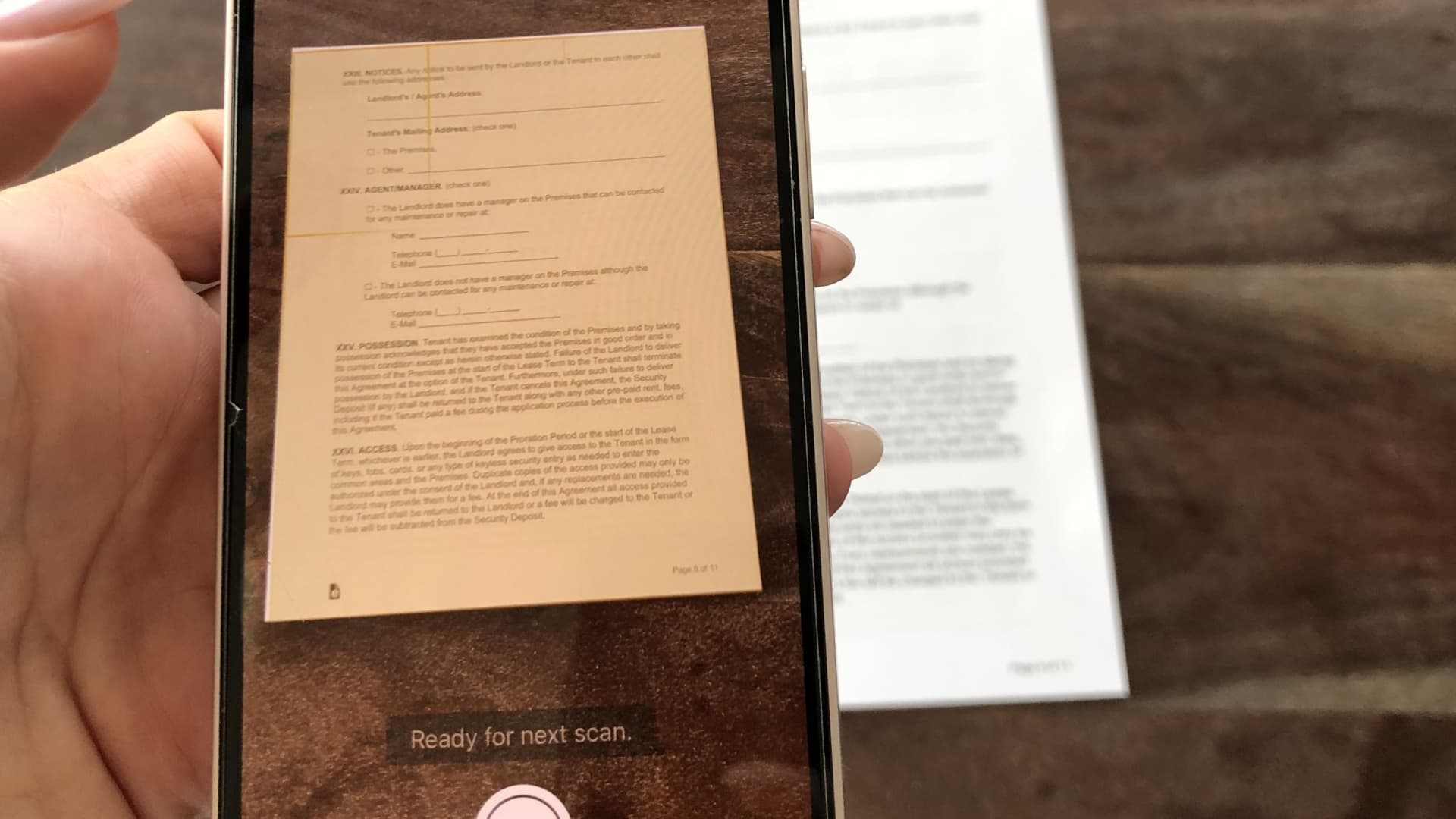
Scanning a document on your iPhone in the Notes app.
Sofia Pitt
You don’t need a bulky machine to scan and sign a document. Instead, you can use your iPhone or iPad to scan a document and, in less than a minute, turn it into a PDF and send it wherever it needs to go.
It can take the headache out of filling out forms for a doctor’s visit, signing a lease, or sending over a contract. All of this can be done in the Apple Notes app, which comes pre-downloaded on the iPhone and iPad.
And using the scan function makes the document look like an actual scan and not just a picture of a piece of paper. Plus, you can filter it in black and white, e-sign the document, and combine multiple pages into one PDF file.
Here’s what you do.
How to scan a document on your iPhone or iPad
Scanning a document on your iPhone in the Notes app.
Sofia Pitt
Before you get started: It’s best to put your document on a contrasting background so your iPhone or iPad has an easier time differentiating between the document and the background. For example, if it’s a white piece of paper, scan it on top of a dark wooden table.
- Open the Notes app and click the paper-and-pen icon on the bottom right corner to create a new note.
- Tap the Camera icon and click Scan Documents.
- Place the document under your iPhone or iPad camera lens. An orange highlighted box will appear over the perimeter of your document and the scan will be taken automatically. You can also press the shutter button or one of the volume buttons to capture the image if it doesn’t scan right away.
- If the document size looks off, you can click or drag each corner of the scanning box to line it up so only the document is captured and not the background.
- If you’re scanning a multipage PDF, you can keep scanning one page after another so that only one file is created.
- Press Save once you’re done capturing your scan.
How to edit your iPhone or iPad scan
Send a document after scanning it on the iPhone Notes app.
Sofia Pitt
Now it’s time to edit your scan. You can rename it, export it as a PDF, print it and more. Here’s how to do that.
- To rename the document: Tap the file name on the top of the scan.
- To add a page: Once the document is saved, an option will appear at the bottom of the image that allows you to add a page by tapping a plus icon on the lower left-hand corner.
- You can crop the document by selecting the crop icon, which looks like a square. This will open a four-point cropping box with round magnifying glasses which will help you crop your document exactly.
- To adjust your document’s orientation: Select the rotation icon on the bottom right-hand corner of the screen.
- To send your document: Click on the Export button in the top right corner of the scan. Once you’ve selected Export you’ll also see the option to print, mark up, copy, share or save the PDF to your files.
- To sign the PDF: Tap the Mark Up option after clicking Export. Press the + button on the bottom right and click Signature. Here you can add a saved signature or make a new one. The size of your signature is adjustable and you can place it wherever you like on the document.
That’s it!


